
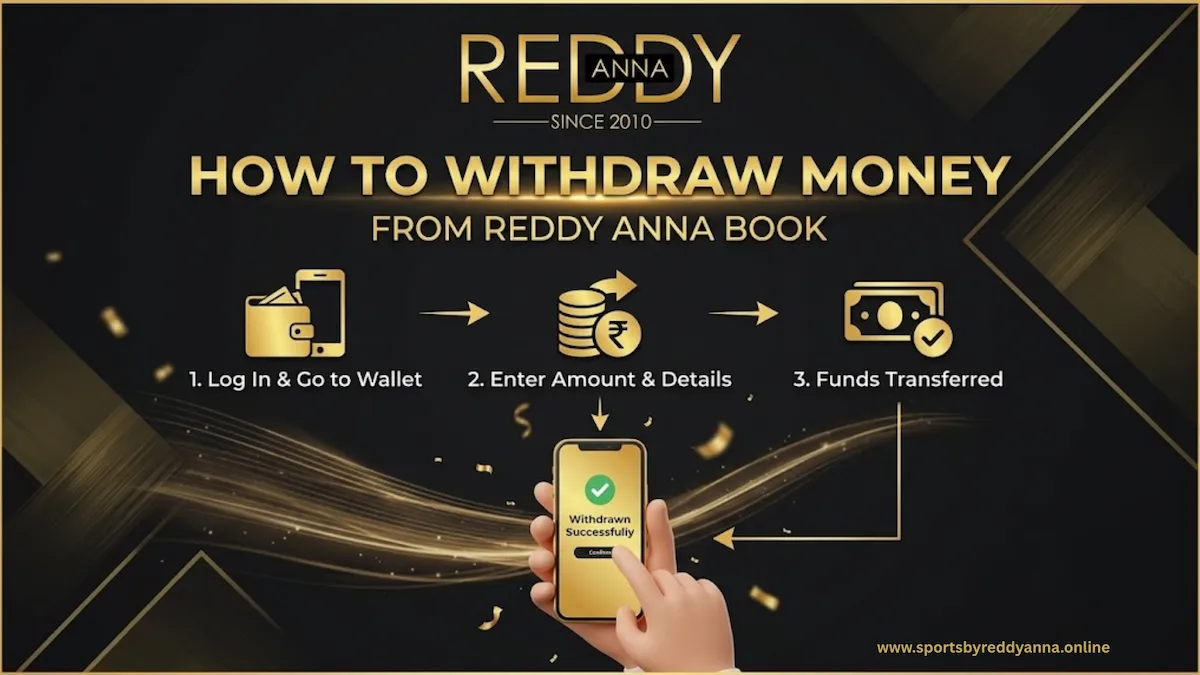
Reddy Anna Book is a well known online sports betting platform. Players can make wagers on cricket and other popular sports using a customised betting id and an available account balance. The ability to efficiently and safely change online profits into real money in their personal bank or UPI accounts is an important factor for many players.
Therefore, before you begin placing major wagers on the site, it is necessary to fully understand the withdrawal processes in complete detail. Players can avoid recurring issues like unsuccessful transactions, delays, or pending requests if they understand how to safely log in, navigate to the wallet menu, select a valid withdrawal method (such as bank transfer or UPI), and enter complete payment information.
A simple withdrawal guide promotes new player’s confidence, reduces payment worries, and supports responsible gaming by making it easy to withdraw out the winnings rather than wagering the entire balance again.
In a nutshell understanding the withdrawal process in advance, helps ensure the safety of your funds, saves time with assistance, and guarantees that your experience with Reddy Anna Online Book is effortless, reliable, and relaxing. The following article deals with how to withdraw money from the Reddy Anna Book platform. To learn more, continue reading.
Table of Contents
Understanding your Reddy Anna Book wallet
The two most basic balance categories that usually show up in your Reddy Anna Book wallet are bonus funds and real money.
Real money is the amount that can be withdrawn soon after it has reached the platform’s minimum withdrawal amount. It is calculated based on your deposits and your total profits from wagers. However, bonus amounts are promotional credits or incentives that are offered by the club; they are usually locked away and cannot be easily withdrawn.
Generally, these bonus amounts can only be processed into real money in your bank account once you fulfil certain wagering or transaction restrictions.
Pre‑withdrawal checklist
It’s wise to go over a brief checklist before making a withdrawal request. Firstly, ensure that you can log in privately to your Reddy Anna Book account, using a strong password and keeping your OTPs confidential, so that no one else has access to your bankroll.
Then, make sure your KYC details, that is your name, mobile number, and bank or UPI information, are accurately confirmed and match your bank account. In case they do not match, withdrawals may fail or take longer than usual. After that, check the platform’s minimum and maximum withdrawal restriction to confirm that the amount you want to deposit is set within the acceptable range for one transaction or daily limit.
Steps to Withdraw you Winning Money from SportsbyReddyAnna.Online
To understand how to withdraw from your Reddy Anna Book account, follow these steps mentioned below:
Step 1: Log in to your account
Before you can start the withdrawal process, you must successfully login into your Reddy Anna Book account. Use an authorised Reddy Anna website by the authorised login link provided by the agent to access the official platform or use the official app.
To protect your id, avoid using suspicious links or unfamiliar networks. Next, fill out any OTP verification that was delivered to your mobile number and enter your username or betting id and password just like you originally entered.
Use the “Forgot Password” option, review your phone number, clear the cache folder in your browser or app, and try again on a secure connection to the internet if you’re having trouble logging in or getting your OTP. If the issue continues, get in touch with official customer support.
Step 2: Navigate to the wallet/balance menu
The next step is to locate where your money shows up after logging into your Reddy Anna Book account. Your wallet menu usually comes up when you tap on the “Wallet,” “Balance,” or “Account.”options.
This section contains information about your overall account balance, including how much is restricted bonus or delayed payments as well as how much is easily available for withdrawal. By thoroughly analysing this, you can avoid confusion if your withdrawal request is valid and whether your profits are actually withdrawable. By thoroughly understanding this, you can avoid confusion and know if your withdrawal request is valid and whether your profits are actually withdrawable.
Step 3: Initiate a withdrawal request
You can start making a withdrawal as soon as the wallet or balance menu is displayed. On that page, look for clear label options, such as “withdraw,” “cash out,” or “withdraw funds.” This option generally appears next to your listed current balance or in a transactions/payments menu.
Step 4: Select payment method
Now you need to choose a payment method for withdrawal. Most of the Reddy Anna Book members prefer UPI transfers as it is the quickest and most convenient option. You need to share your UPI id, such as name@bank or number@upi, and money will be sent to your Google Pay, PhonePe, or Paytm apps directly.
Bank transfers work better for bigger amounts and to send money directly to your bank account, however, you must accurately enter your account details like the account holder’s name, account number, and IFSC code. There are other accepted payment options, including private e-wallets or partnered apps services, depending on your individual account setting.
Step 5: Enter amount and payment details
Once you have selected your preferred payment method, enter the amount carefully along with the payment information. Share the withdrawal amount, making sure it is not more than your available balance and it is within the platform’s minimum and maximum requirement limit.
After that, complete your payment details; for a bank transfer, enter the account holder’s name, account number, and IFSC code without making any mistakes, for UPI, enter your UPI id accurately as it is in your app.
Using unnecessary blank space, mixing up digits while entering your account numbers or UPI id, using someone else’s payment information, or submitting an amount that is over your balance or platform limits are usual mistakes that should be avoided because they all can cause transaction failure or delays.
Step 6: Confirm and submit your request
Review everything before submitting and after entering your withdrawal amount and payment details. Check that the amount is right, the withdrawal method (UPI or bank transfer) is according to your request, and your UPI id or bank account information are exactly the same as they are in your payment app or your passbook, with no blank space, incorrect number, or spelling mistakes.
Once you’ve confirmed, you will have the last security procedure to go through, where the platform will ask you for an OTP or PIN that is in your app or on your registered phone number. Carefully enter this code, then click “confirm” or “submit” your request for processing and make sure that only you are allowed to approve the payment.
Step 7: Processing time and status tracking
The withdrawal request is processed once it is submitted, and the actual credit time depends on the selected method. While bank transfers might take a little bit longer, depending on your bank and the time of the day, UPI withdrawals are generally processed faster, and reach your UPI app almost instantly.
Go to the wallet or transaction history section of your Reddy Anna Book account and check for status updates like “pending,” “processing,” “completed,” or “failed” to get the details. You will know if the money has been received or if additional assistance is needed.
What to do if the status is pending or failed
You don’t have to worry if your withdrawal status shows ‘’pending’’ or ‘’unsuccessful.’’ There are simple measures you can take to overcome this situation, for example, using the official whatsapp channel for customer support. Many pending withdrawals are cleared right away as soon as the payment provider completes processing, so double-check your bank or UPI information then allow it a little extra time to complete.
You can use the other method as well, which includes withdrawing using the official whatsapp support if the status remains the same or shows ‘’failure.’’ This can be useful if you are looking for reliability and prefer direct personal support, or are unsure about the displayed error.
Common withdrawal problems and solutions
Incorrect payment details
Always double-check every single number and spelling before uploading because if you provide the incorrect UPI id, account number, or IFSC code, your withdrawal can get declined or delayed. A simple solution is to change the information, submit the request again, and save screenshots for support in case the error keeps occurring.
Verification/KYC errors
If your name, phone number, or bank/UPI details do not match your KYC details, withdrawals can be declined or put on hold. Contact support to modify any mistakes in your details, make sure your KYC is complete and accurate, before making a big withdrawal.
High‑traffic delays and system errors
Payment processing can be slow during high-demand periods such as during major sports events, which can cause “pending” or delays. During these situations, wait for the platform’s given processing timeframe, avoid cancelling and resubmitting on your own, and get in touch with support if the delay is longer than usual.
Safety tips for secure withdrawals
To be safe from identity theft and account hacking, follow the safety tips listed below:
Protecting your OTPs and passwords
If you share your password or OTP with someone else, they will have access to your money and can steal it too, as passwords and OTPs are like your wallet’s keys. To stay safe, keep them completely private, share them only on trustworthy platforms, and change your passwords on a regular basis.
Using only your own bank/UPI accounts
Always make transactions to accounts that are under your own name and match your KYC details, avoid using the bank accounts that does not belong to you. This helps prevent difficulties during maintaining the safety of your transaction, verification, and support during dispute settlement.
Avoiding phishing and fake links
Use reliable platforms and official phone numbers instead of clicking on random links and trusting unofficial sites that are pretending to be Reddy Anna Book. This reduces the chance of someone hacking your login credentials or transferring your money to their personal account.
Responsible gaming and smart withdrawal techniques
Setting limits and withdrawing profits
Rather than playing again and again, decide before the game begins, how much money you’re willing to risk and how much profit you are going to make. Withdrawing funds regularly, this helps you secure profits and prevent your full bankroll from being lost.
Avoid chasing loss
After a few unsuccessful games, trying to recover losses with more money usually ends in bigger losses rather than a successful streak. You can keep wagering under control by only making withdrawals when you’re performing well and leaving when you reach your loss limit.
Using withdrawals as a budgeting tool
Withdrawals can be a chance to analyse your total profits and spendings over time. You can manage your wagering budget by tracking your withdrawals and then comparing it to your deposit amount.
FAQs
1. What should I do if my withdrawal is marked “completed” but money is not in my account?
To avoid delays, refresh your bank or UPI app and wait for some time. Take screenshots of the “complete” status and your payment app history if the money is still not received after a while. Then, share them with your support agent for further settlement.
2. Which payment methods are supported for withdrawals?
Most users can withdraw using UPI apps or through a direct bank transfer. Depending on how your account was created and what all features your service provider or platform has activated, few accounts might also support specific e-wallets or partner app services.
3. What is the minimum and maximum amount I can withdraw in one request?
Reddy Anna Book usually provides a maximum and a minimum withdrawal limit on a daily basis. Make sure the amount you want to withdraw is under the limit mentioned in the guidelines.
4. How long does it usually take for my withdrawal to reach my bank or UPI?
While bank transfers can take several minutes to a few hours, UPI transfers are the fastest method, which is received within a few minutes after processing. The method, amount, and current situation or bank demand affect the exact duration of the withdrawal.
5. How do I start a withdrawal on Reddy Anna Book?
Choose the “withdraw” or “cash out” option after logging into your account and going to the wallet or balance menu to start a withdrawal. After that, select your preferred payment method, enter the amount and payment information, and submit the request.
6. Can I withdraw bonus funds or promotional chips directly?
Bonus money or promotional amounts are only used for wagering and cannot be used directly. These amounts can often be withdrawn once you have fulfilled the wagering requirement or conversion criteria and converted them into actual money.
7. Is it safe to share my bank or UPI details with Reddy Anna Book?
It is usually safe to share your bank or UPI details as long as you never share your passwords or OTPs to anyone and only provide information over official, secure platforms or authorised support methods.
8. Who should I contact if I face a withdrawal problem, website support or whatsapp agent?
You can start by entering your transaction details through the platform’s official support channels (live chat, help center, or tickets). If an official whatsapp agent created and managed your id, you can share that confirmation number to get instant help with a failed or delayed transaction.
9. Why did my withdrawal fail, and how can I fix it?
Withdrawals are usually unsuccessful due to incomplete payment information, inaccurate KYC data, or requests for amounts that are more than the fixed limits. It can be solved by updating your bank and UPI details, making sure your KYC is completely verified, changing the amount, and then re-submitting the request.
10. Why is my withdrawal showing as “pending” or “processing”?
A “pending” or “processing” status usually means that the platform or the payment provider is still confirming information and processing the funds, which normally happens during peak hours or during extended reviews. If the status is pending for more than the normal time duration, it can be due to high demand hours, verification procedures, or minor system issues.
